A writing support tool that shows its work
Colophon logs every edit, paste, and AI interaction as a verifiable timeline, so writers can show how a document came together, and teachers can see the process, not just the product.
Bring it to your course this fall
Free for one course section, one semester: the full review workspace, Google Classroom sync, and an anonymized findings report at the end. Apply →
See it in action
A real look at the extension and the TWFF viewer.
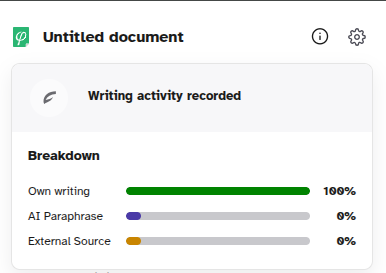
At a glance, in the popup
Click the toolbar icon any time to see the current document's own-writing / AI / pasted breakdown and a running activity feed; no need to open a dashboard.
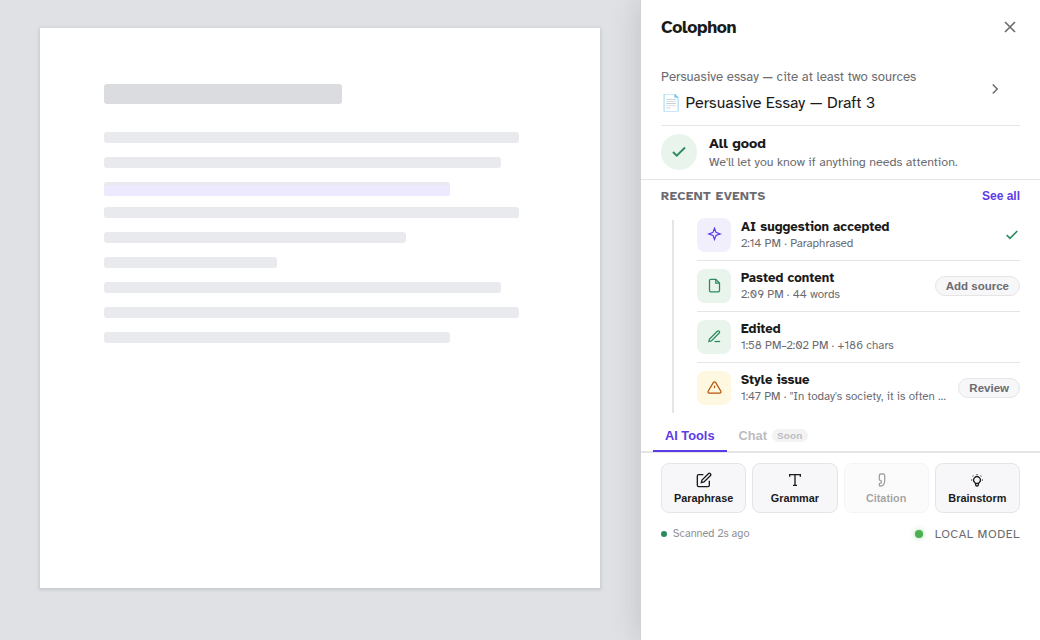
Lives beside your document
The panel floats right next to the page you're actually writing in; nothing to switch to, no separate app to keep open.
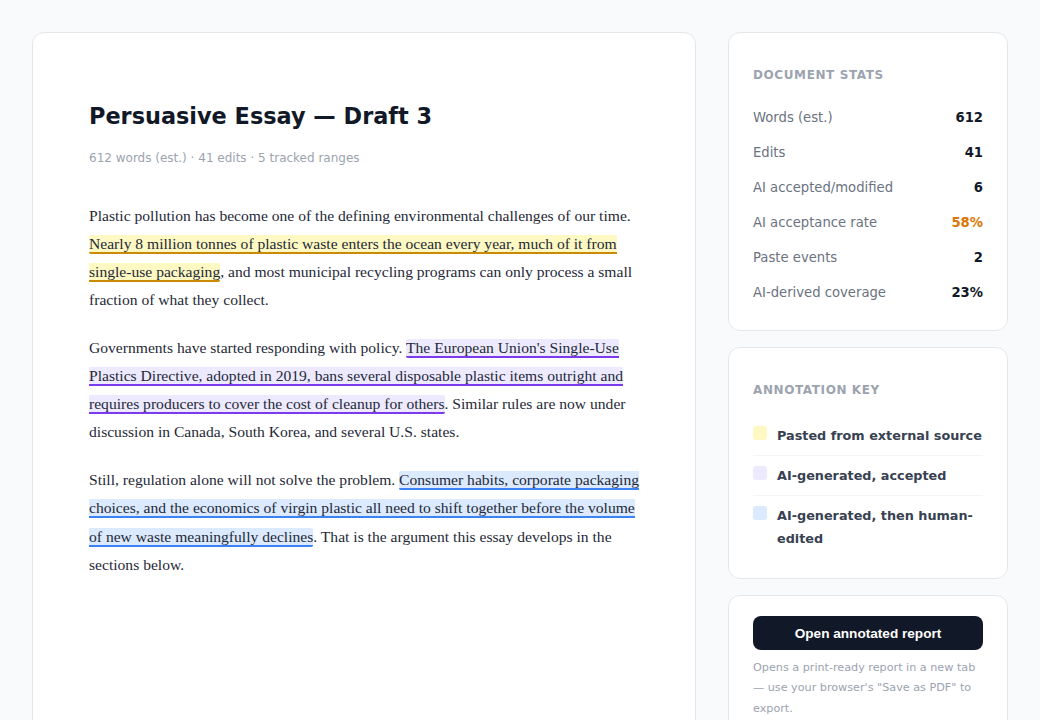
Open any session in the TWFF viewer
Drop a .twff file into the viewer, entirely in your browser with nothing uploaded, and get the full annotated, exportable report.
No file? That link opens a real sample report. Or download the raw .twff file.
Individual
Free
Students & independent writers
- TWFF viewer, no login needed
- Unlimited sessions once you join a course
- Personal writing timeline once you join a course
- Offline-first & student-owned data
- Educator dashboard
- Share with teacher
Institutional
€3/student/semester
Per cohort · post-beta
- Everything in Educator
- Multi-class & whole-institution dashboard
- Admin & researcher views
- Anonymised longitudinal exports
- Bulk GDPR-compliant data management
- Dedicated onboarding support
A Data Processing Agreement is available on request.
Doing research on AI and writing, rather than running a course?
Research
Custom / per study
Pseudonymised cohort dashboards and CSV export across a case study's courses. Access is granted per researcher, and the fee can be waived for academic partners.
Institutional pricing excludes VAT. Case study applications are reviewed individually and prioritised for the coming semester. Research & institutional licensing enquiries: get in touch.
Partner with us
Research, sponsorship, or an institutional pilot
Colophon logs the writing process so students and teachers can see it directly, instead of relying on surveillance or guesswork. If you'd like to talk, get in touch below, or read how Colophon actually works.
Research partnership
Access anonymised longitudinal writing data, co-author findings, and influence the research agenda; early outputs could include an AI-literacy newsletter, a "what students actually use AI for" report, or HCI-informed interface guidance.
Development sponsor
Fund a specific feature or integration. Get custom development, early access, and logo placement.
Institutional pilot
Deploy Colophon across a department or institution. Help shape the product for large-scale use.
Get in touch
Tell us a bit about your interest and we'll follow up within 48 hours.
Talk to us →Or email us directly at hello@firl.nl
Frequently asked questions
Is Colophon an AI detector?
No. Colophon does not try to guess whether text was written by AI. Instead it gives students and teachers a verifiable, timestamped record of the entire writing process: every keystroke block, paste, and AI interaction. A percentage score can be disputed; a timestamped edit history can be checked against the document itself. Unlike GPTZero or Turnitin, Colophon isn't trying to detect AI text at all; it's a different tool for a different question.
What is a TWFF file?
TWFF (Tracked Writing File Format) is an open format developed by the Functional Intelligence Research Lab. It is a ZIP archive containing a structured JSON log of writing events and the document content. Students own their TWFF files and can share or archive them independently. Read the spec →
Does data leave the student's device?
The Chrome extension records locally and never transmits data without explicit action. Uploading to the web app is opt-in. Students can use Colophon entirely offline and export their own TWFF files at any time.
Is student data GDPR-compliant?
Yes. Data is stored in the EU, retained for a configurable period (default 2 years), and students can request full erasure at any time. Colophon is 16+ only, clearing both COPPA's age-13 threshold and GDPR's under-16 digital-consent age, so no under-16 user data exists to handle.
How does a case study work?
Apply with your institution, course, and section size. We review each application; accepted case studies get full dashboard access for that course at no cost, and end with a published findings report you can share. See how it actually works step by step, including what's automated today versus what our team still sets up by hand.